
How to Use IPTV Smarters Player
IPTV Smarters is a powerful media player that allows you to stream live TV, movies, and series using your 8kIPTV4U credentials. Follow the steps below to get started easily.
Step 1: Open IPTV Smarters
Once installed, launch the app on your device. You'll see a welcome screen asking you to add a new user.
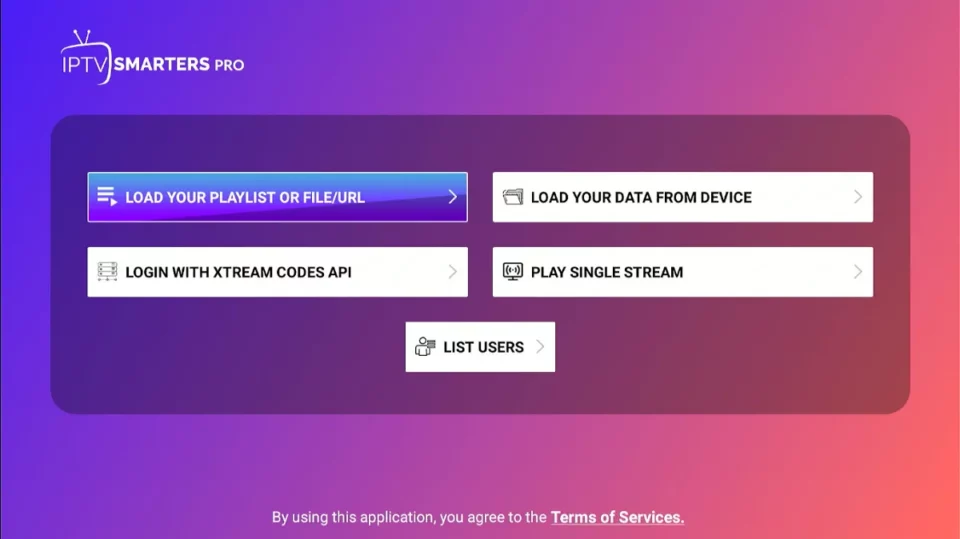
Step 2: Log in with Xtream Codes API
- Select Login with Xtream Codes API.
- Enter your Username, Password, and Server URL provided by 8kIPTV4U.
- Click Add User to continue.
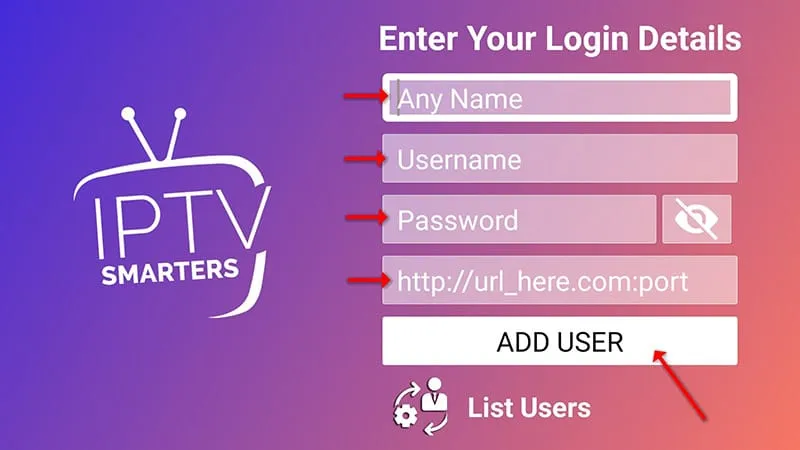
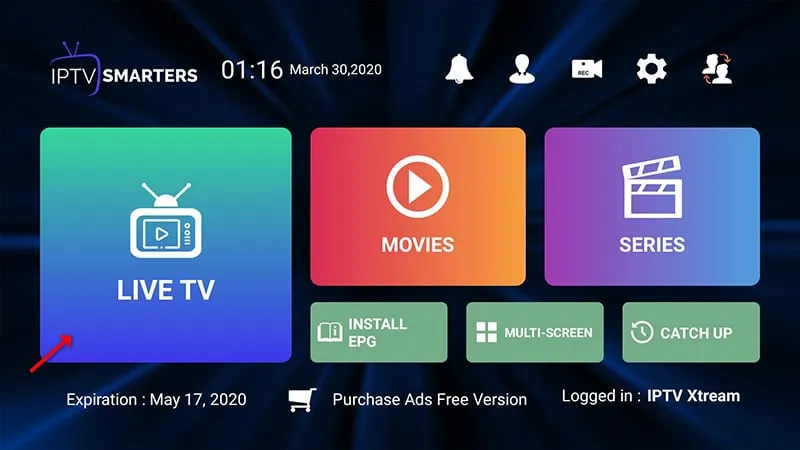
Step 3: Explore Your IPTV Dashboard
- Live TV – Watch all your channels in real time.
- Movies – Stream from your VOD library.
- Series – Binge-watch your favorite shows.
- EPG – Access your electronic program guide automatically.
Enjoy your IPTV experience with 8kIPTV4U — fast, smooth, and always online!
If you face any issue, contact us — we're happy to help.